New Guide The Help Desk AI Maturity Journey: A Support Team’s Guide Download Now

Deskpro Voice

Integrated call center ticketing software for efficient customer support

Revolutionize call center operations with a comprehensive voice support solution.

Improve caller satisfaction, resolve issues faster, and simplify call center processes.

Call Tickets

Every time an agent answers or makes a call through Deskpro, it automatically creates a ticket.

Call Controls

During calls agents can mute calls or put users on hold with the click of a button while they work on issues.

Team Up

Join calls together, or use warm and cold transfers to other agents for easy collaboration

Call Recordings

Automatically record, save, and manage customer calls

The power of voice in your help desk

Powerful back-end features are essential to an effective call center solution for your help desk. Deskpro Voice brings you all the functionality you need to provide incredible phone support to your customers with real efficiency.

Take a Call

Take a Call

When a call comes into the help desk, agents are alerted within the interface. They can see the number, customer, and organization to help give them context before answering the call.

Take a Call

Dialpad

Dialpad

From the dial pad, agents can make outbound calls or call the SIP address directly. They can also choose which phone number to call from.

Dialpad

Call Queue

Call Queue

Choose how to distribute calls between departments and agents. Just like with tickets and chat, you can follow up on the communication from within the ticket.

Call Queue

Call Forwarding

Call Forwarding

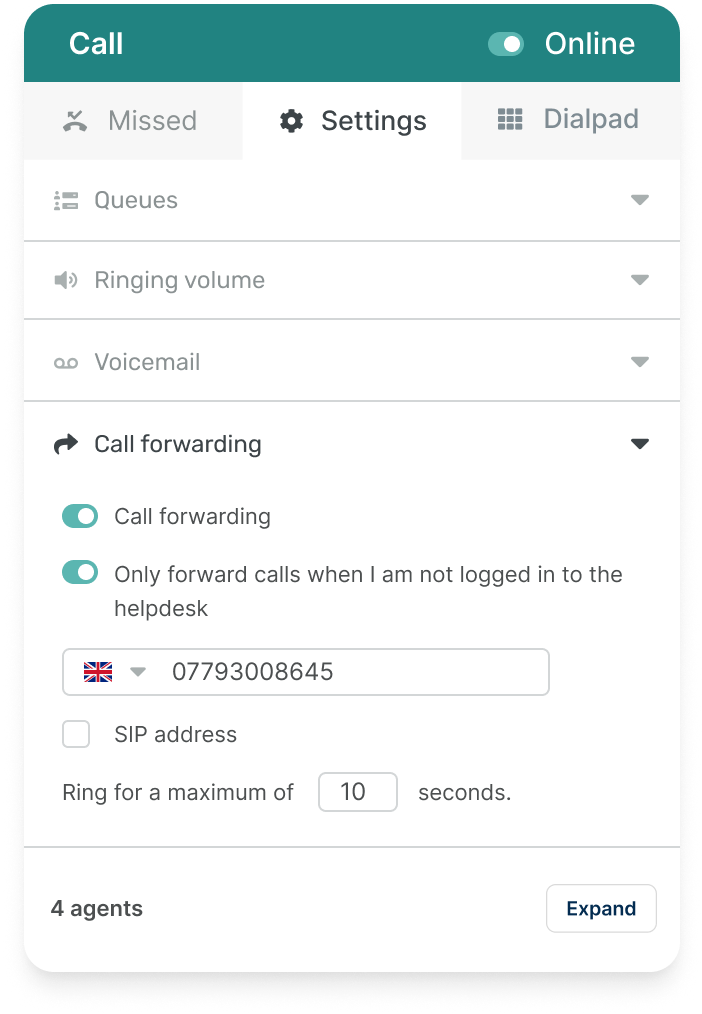
You may want to keep using your current desk phone, mobile, or even SIP. By forwarding calls out of Deskpro, you can keep all of your current hardware.
Call Forwarding

Voicemail

Voicemail

If you don't have a 24/7 call center, voicemails are key. Voicemails can automatically create tickets and appear for agents in the voicemail section of the Voice app.

voicemail

Auto Attendant & IVR

Auto Attendant & IVR

Streamline call routing for each phone number you own, ensuring that customers reach the department that they want to speak to and fast.

Auto Attendant & IVR

Extend Phone Support Capabilities with Voice Premium

Enhance your team's communication skills with our advanced training, monitoring, and review options. These features ensure top-tier customer service and improve phone support quality.

Call Monitoring
Ranked Call Routing
Wrap-Up Time

Call Monitoring

Call Monitoring

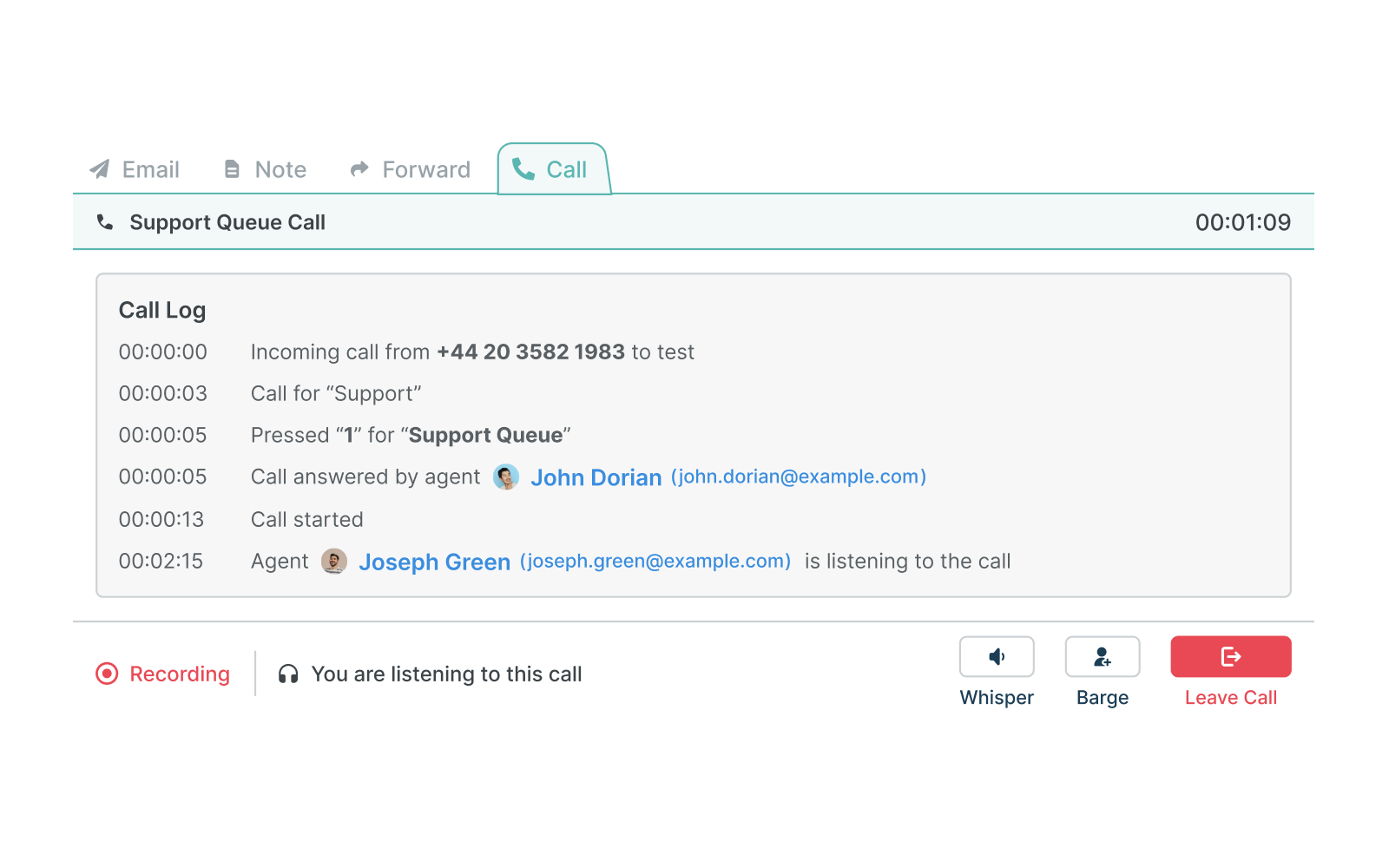
Let managers monitor calls with listening, whispering, or barging to provide instant support and assistance. Useful for training or onboarding where a manager or supervisor can jump in to help or take over the call.

Ranked Call Routing

Ranked Call Routing

Optimize your call queue by ranking agents according to their ability to handle calls. Ensure the most suitable agent receives calls first, improving the routing behavior within your call queues.

Wrap-Up Time

Wrap-Up Time

Let agents complete essential ticket tasks between calls. Improve accuracy, ensure proper follow-up procedures, and enhance overall customer service by letting your team focus on the task at hand.

Connect with customers instantly

Deskpro Voice comes with all the features you expect from a comprehensive call center solution for your help desk. Whether you want to set up intelligent call trees or greet customers with customized messages, our call center software makes it possible to manage, route, and handle calls with ease.

Be available for your customers, and nurture meaningful relationships over the phone. Simply add a number to Deskpro, pop on a headset, and get chatting. Set-up takes just 3 minutes.

Deskpro Voice is built on an enterprise-grade network, providing global infrastructure for communicating with your customers via voice calls

All the features you could need

With built in call center software, Deskpro provides you will all the features you need to provide the best phone support possible.

Caller ID & History

Incoming calls display customer details providing agents with all the information.

Auto attendant & IVR

Streamline your call routing with auto-attendant IVR technology.

Queues

Automatically manage and distribute calls to specific departments and agents.

Agent extensions

Assign individual extension numbers for any of your call center agents.

Call Barging

Allow supervisors to monitor and join ongoing calls to provide real-time assistance and direction.

Call Listening

Monitor live calls for performance evaluation and quality control without interrupting the conversation.

Call Whispering

Provide real-time guidance to an agent during a live call without the customer hearing.

Wrap-Up Time

Set aside time for agents to complete tasks after a call ends, before receiving their next call.

Forwarding

You can forward incoming calls to your deskphone, mobile or even SIP.

Call-to-ticket

Answered calls automatically create tickets so agents can easily follow up.

Voicemail

Allow customers to leave a voicemail that automatically creates a ticket.

Click-to-call

Agents can click on any phone number and begin a call in just 2 seconds.

Transfer

Add agents to active calls, or send calls to different agents and teams.

In-call controls

Set calls to mute or hold from within the agent interface during a call.

Reports

In-depth reporting analytics and insight for all inbound and outbound calls.

Call recording

Active calls can be recorded onto a ticket giving context to other agents.

Only pay for the calls you make

We don't charge more to use Voice, you get a fully-featured call center inside your help desk. All you pay for are the calls, simple.

FAQs

Frequently asked questions

How long does it take to set up Deskpro Voice?

Deskpro Voice can be set up within just 3 minutes. Simply add your number to Deskpro, put on a headset, and start chatting with your customers.

Can I use my existing deskphone or mobile with Deskpro Voice?

Yes, Deskpro Voice allows call forwarding, so you can continue using your current deskphone, mobile, or even SIP. Stay connected using your preferred hardware.

What happens if I receive a call outside of business hours?

If you don't have a 24/7 call center, Deskpro Voice's voicemail feature automatically creates tickets or appears in your agents' personal voicemail area, ensuring no customer inquiry goes unanswered.

Explore Deskpro's communication channels