
New Guide The Help Desk AI Maturity Journey: A Support Team’s Guide Download Now

Email ticketing system for customer support

Effortlessly manage, track, and prioritize all your customer support emails with your all-in-one ticketing solution.

When your customers need help, Deskpro instantly creates a support ticket, no matter which channel they use - email, chat, phone, or social media.Free Trial

Unified email support system for faster resolution

Accelerate issue resolution with our integrated platform that fosters seamless team communication and collaboration.

Clear Communication

Clear Communication

Remove confusion around who responded to what, when and how. See the whole conversation with customers and prevent duplicate responses.

Clear Communication

Ticket Status

Ticket Status

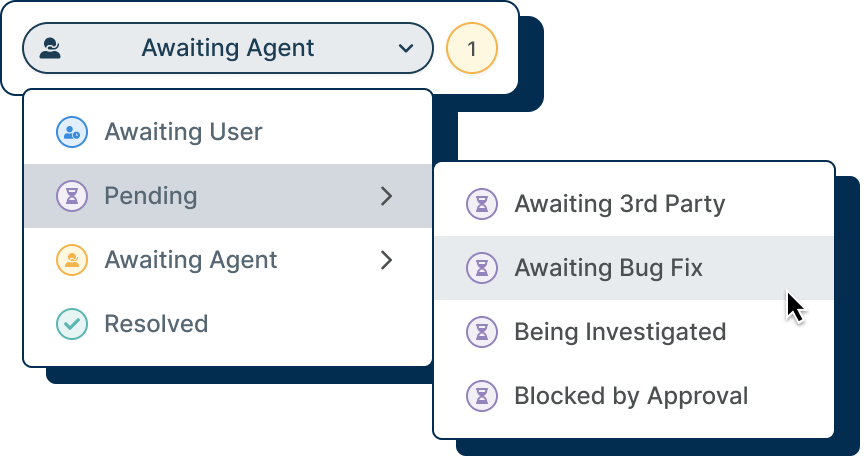
Ticket statuses let agents and customers know who is waiting for who. Automations can be set up for tickets that have been in a status for too long. Tickets can also be tracked on their status and length of time in a status until resolution.
Ticket Status

Followers

Followers

Sometimes agents need help and more than one person is involved in solving an issue. By following a ticket, you can receive updates and track its progress, perfect for a manager to track certain high priority issues.

Followers

Ticket Assignment

Ticket Assignment

When emails are received by your help desk and turned into tickets, set up routing to define which team or department queue the ticket is assigned to. Individual agents can then be assigned tickets to solve.

Ticket Assignment

Don't settle for a shared inbox

Transparency and visibility make ticket management less complicated for your team; by incorporating a help desk, you can ensure every ticket is tracked, workflows are automated, and nothing can slip through the cracks.

Never doubt your team's performance, customer satisfaction, or efficiency again. With a unified ticketing system, gone are the days of losing tickets and having a disorganized inbox full of confusing messages.

  • Trackable Requests
  • Owned Tickets
  • Clear Audit Trail
  • Accountability & Responsibility
  • Increased Issue Visibility
  • Faster Resolutions
  • Organized Inbox

Increased Visibility

A help desk that takes the confusion away

Relying on a shared email inbox is setting yourself up for disaster with missed emails, an inability to track workflow and agent confusion.

Deskpro will make your ticket management as simple and painless as possible from day one. With powerful help desk features that surpass the capabilities of a standard shared email system; simplify the organization of your incoming tickets and easily stay on top of your support.

Automate everything

Deskpro takes away all the manual processes of an email inbox with rich automation tools.

Stay on top of tickets

Never forget to action tickets with helpful and automatic follow ups to boost resolution times.

Optimized workflow

Take the guess work out of your help desk processes by creating ticket triggers.

Team accountability

When every ticket is owned and trackable it encourages accountability between support agents.

Host how you like

Email made simple no matter your preferences

Whether you choose Deskpro Cloud or On-Premise, emails sent to your help desk are registered as tickets and get routed to the correct department based on your help desk settings.

Deskpro Cloud

Users submit queries to your default email, like support@acme.deskpro.com, or you can link external accounts. Tickets received will be routed to the right team or department automatically based on the address contacted.

Deskpro On-Premise

With On-Premise, you can connect your existing support email accounts to your help desk, where each email account can be linked to a department to enable automatic routing.

A seriously organized team inbox

Understand exactly what you need to tackle next with just a glance at your help desk. Eliminate task confusion and promote agent accountability.

email to ticket
unlimited-email-accounts-1261x579
departments-teams-1387x752

Email to Ticket

email to ticket

Every email received by your help desk becomes a ticket. Admins create automations and workflows to ensure each ticket gets to the right agent or team to be solved.

Unlimited Email Accounts

unlimited-email-accounts-1261x579

With Deskpro, you aren't restricted by the number of different emails and aliases that you create. Handle multiple email accounts, all routed into one platform.

Departments & Teams

departments-teams-1387x752

Structure your organization so teams or departments can work closely together, and use powerful automations to control who has access to what.

In-built CRM system

Better customer insights across every conversation

Access entire message history and capture unique customer information to give your customers personalized support, every time.

Full Context
User Notes
Integrate with your existing CRM

Full Context

Full Context

Customer information shown on tickets can be customized to show relevant details for your agents. Such as company, previous tickets, current open tickets or any other notes.

User Notes

User Notes

Sometimes it takes more than one person to help solve a customers issue. Summaries or notes can be added to a User's profile to provide others with more context.

Integrate with your existing CRM

Integrate with your existing CRM

Deskpro's in-built CRM can enable Agents and Users to sign in with your existing SSO methods, and can integrate with external CRM systems.

Unified email support system for faster resolution

Accelerate issue resolution with our integrated platform that fosters seamless team communication and collaboration.

Snippets

Snippets

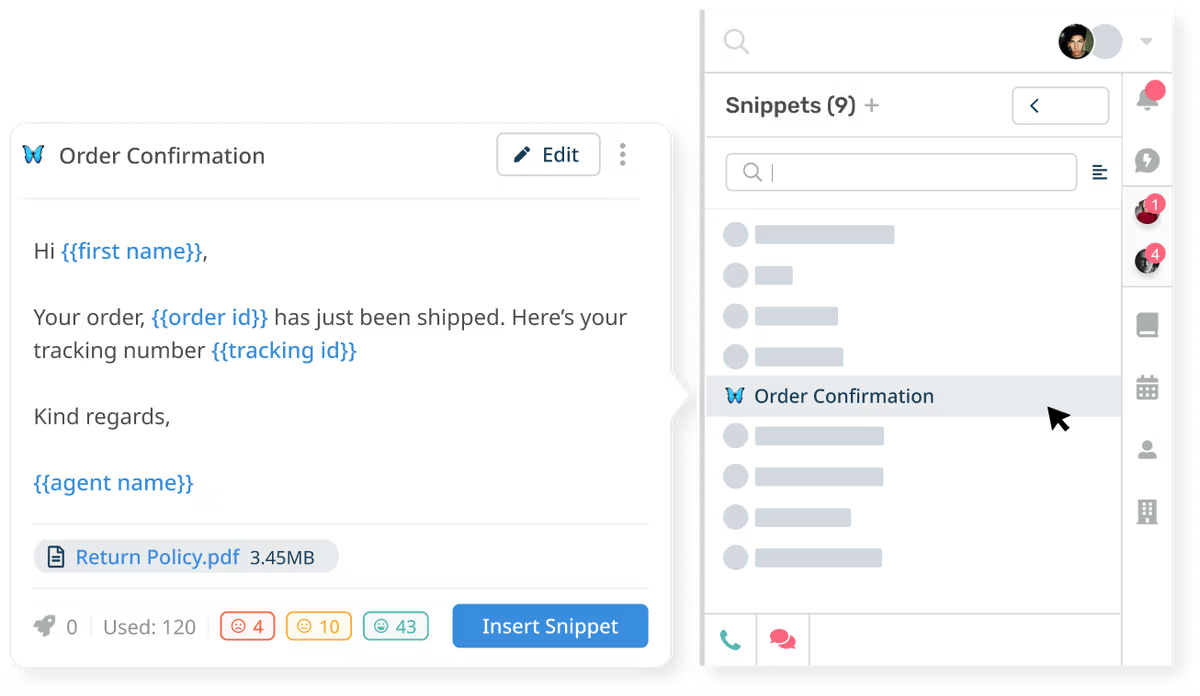
Agents can send complete and personalized answers to customer questions in a few clicks. Canned responses drastically increase the number of tickets that can be responded to daily.
snippets

Macros

Macros

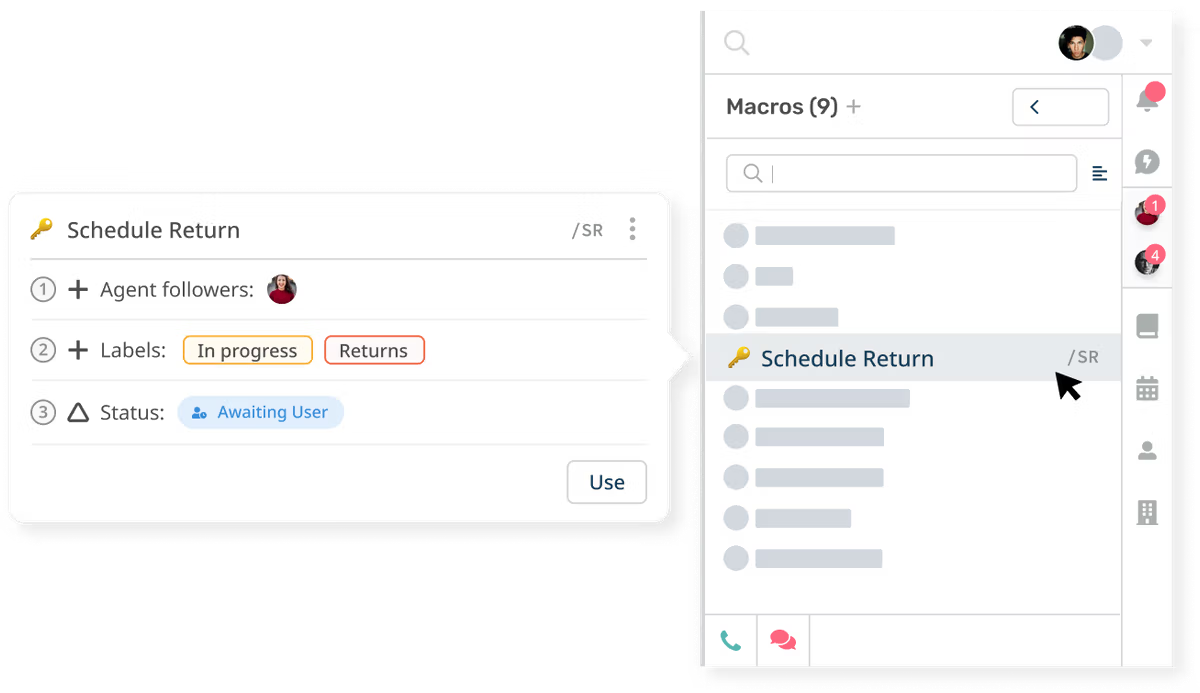
Level up your common help desk processes using macros, to automatically carry out a series of predefined actions in one go.
macros

Mass Actions

Mass Actions

You may find that you need to apply the same action or response to a number of tickets at once. Instead of clicking through each ticket one by one, you can carry out mass actions.

mass actions

Escalations

Escalations

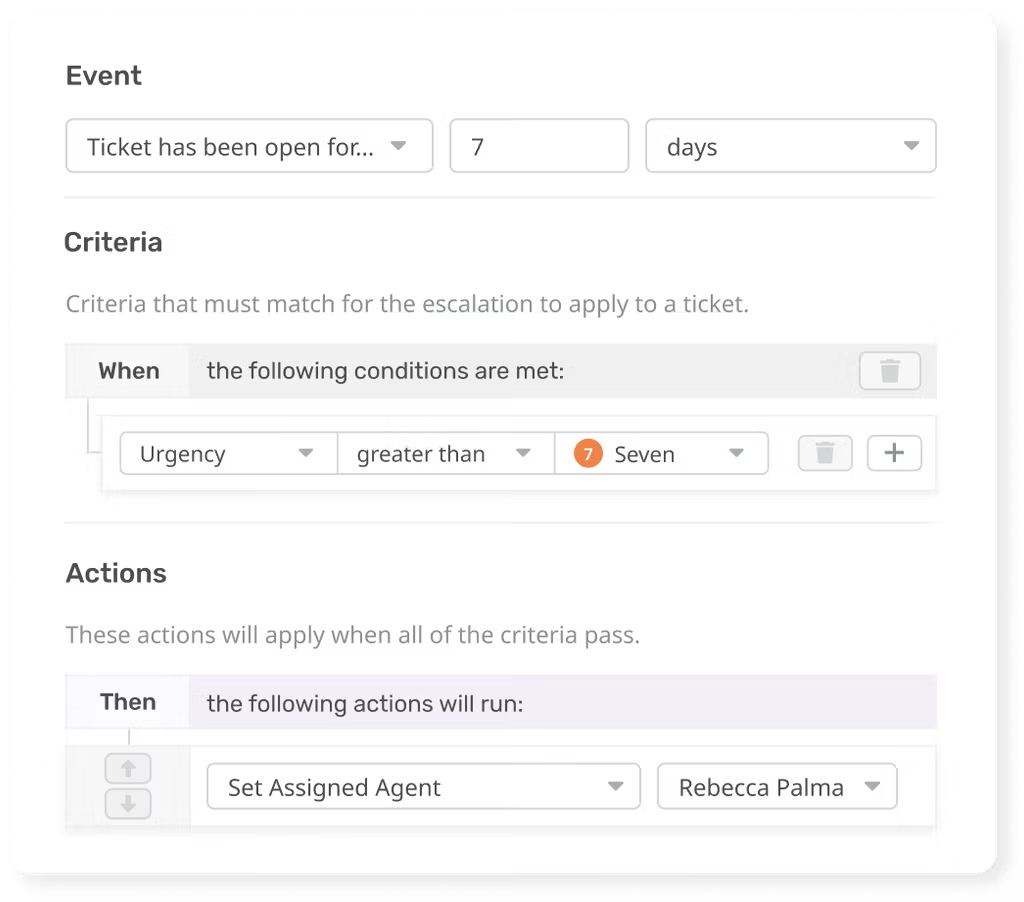
Increase ticket urgency, re-assign tickets, or send survey requests after tickets have spent a defined period of time in a specific state.
escalations

Round Robin and Triggers

Round Robin and Triggers

Set tickets to trigger dozens of different actions after almost any help desk event. Ensure all your agents get the same amount of work, using Round Robins to distribute incoming tickets evenly across your team.

round robins and triggers

Everything included, in one place

When we say that your help desk is customizable, we mean it. With Deskpro, you can add unlimited changes, such as custom fields on tickets. That provides your agents and customers with a help desk, rather than just email.

Custom Fields
Agents can see all the relevant ticket information, dragged through from Forms, or from email. Can be customized to only show agents certain forms.

agent ownership

Boost your agent accountability

When you just use a shared inbox, such as Outlook, knowing what agent has done what and when is tough. With specific tools to help agents perform their job better, Deskpro will promote transparent communication so your agents can thrive.

stay organized

Make support clear for everyone

Filter, group, sort and label every ticket to organize your inbox, and see which customers need your attention next.

queues-257x344
labels

Queues

queues-257x344

Create specific queues to help agents keep on track and managers understand the workload of their team.

Labels

labels

Tag content in the help desk such as tickets, customers and organizations. Filters, searches and automations can be actioned on tickets with labels.

Sophisticated search

Find any ticket with our powerful global search tool, so no critical information ever goes unfound.

Get Answers Fast
Our speedy search ensures agents get the answers they need to resolve customer issues with ease.

Search the Entire Help Desk
Full help desk search allows agents to access all relevant tickets, CRM profiles, and knowledge base articles using simple queries.

Saved Search
For regular searches of the help desk, you can save the specific criteria as saved search categories. These can be accessed with a single click, and prevent you re-entering specific search criteria everytime.