
Centralized support
Unified platform keeps IT communication consistent and traceable across email, chat, web, Slack, and Microsoft Teams.
New Guide The Help Desk AI Maturity Journey: A Support Team’s Guide Download Now
Elevate your IT ticketing system. Unify and automate requests, integrate communications, and eliminate bottlenecks with intelligent workflows that respond to employees and resolve incidents more efficiently.
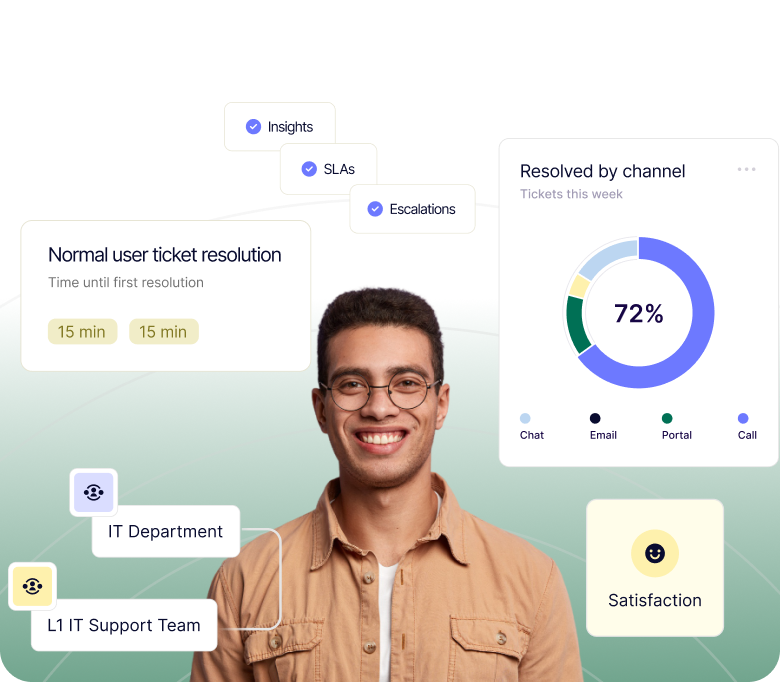
Unified platform keeps IT communication consistent and traceable across email, chat, web, Slack, and Microsoft Teams.
Automate request routing, approvals, and workflows to accelerate resolution times and allow IT teams to focus on strategic priorities.
Search knowledge bases, guided articles, and smart request deflection to resolve common issues independently, reducing incoming volume.
Real-time dashboards, custom reporting, and trend analysis optimize resource allocation and service delivery.
Encryption, audit logs, SSO, and role-based permissions protect sensitive data and ensure compliance.
Case Study
As a technology company, IT Guard is used to dealing with lots of different pieces of software. Unfortunately, its support team was being slowed down by having to use multiple tools.
Case Study
BOpartner uses Deskpro to manage tickets and provide structured support to its clients.
Case Study
Impelsys provides support for publishing companies and needed to expand its support capabilities with multi-channel and standardize its level of support.
Case Study
C>Ways was using a free help desk solution but decided it needed something more flexible to support its team and customers.
Most IT ticketing systems are built for customer-facing support and retrofitted for internal IT. Deskpro is built for both, with SLA management, multi-channel intake (email, chat, Slack, Teams, web portal), and automation workflows designed specifically for IT service desk environments. For organizations in regulated industries, Deskpro also offers private deployment options including:
Yes. Deskpro Private gives IT teams full control over where their data lives, on your own infrastructure, in a dedicated VPC, or within a sovereign cloud environment. This is particularly relevant for IT teams in:
You get the full Deskpro feature set, including AI, automation, and omnichannel support, without any dependency on public cloud infrastructure.
Deskpro's AI capabilities are designed for security-first environments. Unlike platforms that route your ticket data through third-party public AI models, Deskpro gives you control over which AI models power your workflows, including the ability to use private or self-hosted LLMs. AI is used to:
This is all done within your defined data boundary. Explore >Deskpro's AI features >to see how it fits your IT environment
Deskpro's IT service desk ticketing system includes:
It's designed to handle everything from simple password resets to complex multi-team incident management, without requiring heavy configuration or a dedicated admin. See the full feature set or explore omnichannel support capabilities.
Deskpro's automation engine handles:
Common IT automations include:
Organizations typically see significant reductions in first-contact resolution time and inbound ticket volume within weeks of deployment. Learn more about Deskpro's workflow automation features.
For most mid-market IT teams, Deskpro is operational within weeks, not months. Cloud deployments can be configured and launched quickly, with guided implementation and professional services available for more complex environments.
Private deployments (on-premises or VPC) have additional infrastructure setup time depending on your environment, but Deskpro's implementation team works alongside your IT team throughout. If you're migrating from an existing IT ticket system, data migration support is available. Contact Deskpro's team to get a timeline scoped to your setup.
Deskpro integrates natively with Microsoft Teams, Slack, Jira, Azure AD, Okta, Salesforce, and dozens of other platforms commonly used in enterprise IT environments. Single sign-on (SSO) support, REST API access, and webhook functionality allow deeper integrations with internal systems and custom tooling.
For IT teams running complex stacks, Deskpro is built to fit your ecosystem, not replace it. Browse all available apps and integrations.
Deskpro includes configurable SLA policies that automatically track response and resolution deadlines, escalate breaching tickets, and generate compliance reports.
IT leaders get real-time dashboards showing team workload, ticket volume trends, first-contact resolution rates, and SLA performance, all without manual reporting. Custom report builders allow you to slice data by department, agent, ticket type, or time period. This gives IT directors the visibility they need to justify headcount, identify bottlenecks, and report upward. See Deskpro's reporting and analytics features.
Deskpro centralizes IT requests into one intuitive platform with automation, collaboration, and analytics. Enabling faster resolutions, fewer errors, and greater visibility into team performance.
Absolutely. Deskpro integrates with hundreds of applications, including Active Directory, Slack, Microsoft Teams, Jira, and more. Plus full REST API and Zapier support for custom connections.
Yes. Deskpro offers secure cloud hosting on AWS or full on-premise deployment. With permission controls, audit logs, and encryption, you maintain complete control of your data and compliance posture.
Deskpro automates repetitive processes like approvals, escalations, and SLA tracking, allowing IT teams to focus on high-impact projects instead of manual ticket management.
Yes. Deskpro is flexible enough for internal service desks, MSPs, and hybrid environments. Serve employees, vendors, or customers all from one platform with customizable permissions and branding.
With customizable dashboards, reports, and SLA tracking, Deskpro provides real-time visibility into ticket volumes, response times, and team performance to inform smarter strategic decisions.
Yes. Deskpro can be deployed in your private environment or within your own infrastructure to meet strict data sovereignty or security requirements.