
24/7 Knowledge Base Software
Allow customers to help themselves by offering them a library of resources.
New Guide The Help Desk AI Maturity Journey: A Support Team’s Guide Download Now
Make support easier for customers and agents with 24/7 self-service Help Center software.
Powerful tools and seamless integrations designed to streamline your support operations and keep your team focused on what matters most.
Allow customers to help themselves by offering them a library of resources.
Make your help center look as beautiful as your website.
Let customers contact you in the way that suits them best.
Link your help center and help desk together for optimal support.
Powerful features designed to streamline your workflow and boost productivity.
Messenger
Your Help Center content can be made available on any page on your website through a messenger widget.
Customers using the widget can access all of your knowledge base content through the widget; providing an alternative user interface with your Help Center combined with live chat.
Structured Guides
Sometimes your customers need you to hold their hand through an issue, but this is time-consuming for agents.
Create structured self-service content that provides a step-by-step walkthrough and helps your customers solve their problems.
Powerful tools and seamless integrations designed to streamline your support operations and keep your team focused on what matters most.
Escalations
Admins create escalations across the entire help desk that run after a ticket has spent a pre-defined amount of time in one particular state.This will trigger actions of your choice such as increasing ticket urgency, reassigning tickets, or sending survey requests.
Auto-Responder
Set up auto-replies and configure updates to make sure customers are never left in dark regarding the status of their issue.Utilize custom fields to personalize your auto-response templates.
Effortless Navigation
Easily manage how content will appear to your customers with a live drag and drop management system.Within each guide, it’s possible to create nested topics with a hierarchy of volumes, chapters and pages, keeping the information organized and easy to navigate.
Customers want to find the answers to problems when it suits them. Reduce the effort it takes for customers to solve their issues and help them quickly find solutions to their problems the first time they access your content.
Instant Search
Give customers instant answers with powerful search across the whole Help Center and Knowledge Base software, including Knowledge Base articles, guides, community topics and news.
Intelligent search begins to suggest articles as they're typing.
Search Words
Ensure important content is always included in the top of search results by assigning frequently used keywords to articles.
Labels
Organize your library of content to help customers and agents find answers faster when they search, by assigning labels to published content.
Related Content
Increase discoverability of content and ensure that when customers are searching for answers, they’ll discover your solutions first.Articles are optimized for search engines and related content can be linked.
Sub-Categories
Create a structured knowledge base with unlimited sub-category nesting to put your content where you want it.Place the same article in multiple sub-categories, great for organizing large and small content libraries.
Ticket Management
You can access your tickets from the Help Center; view lists of your tickets and notifications with ease.
The Help Center software lets you conveniently manage your ticketing from a different interface and helps you stay on top of things.
CUSTOMIZATION & CONTROL
Support content shouldn't have to look dull. A familiar branded content platform helps your audience feel safe and increases trust in your brand.
Set your own color scheme, logo and header image to reflect your brand - with an easy-to-use template system and CSS.
Provide support to multiple independent brands, products, services or audiences with unique Help Centers you can manage from one help desk.
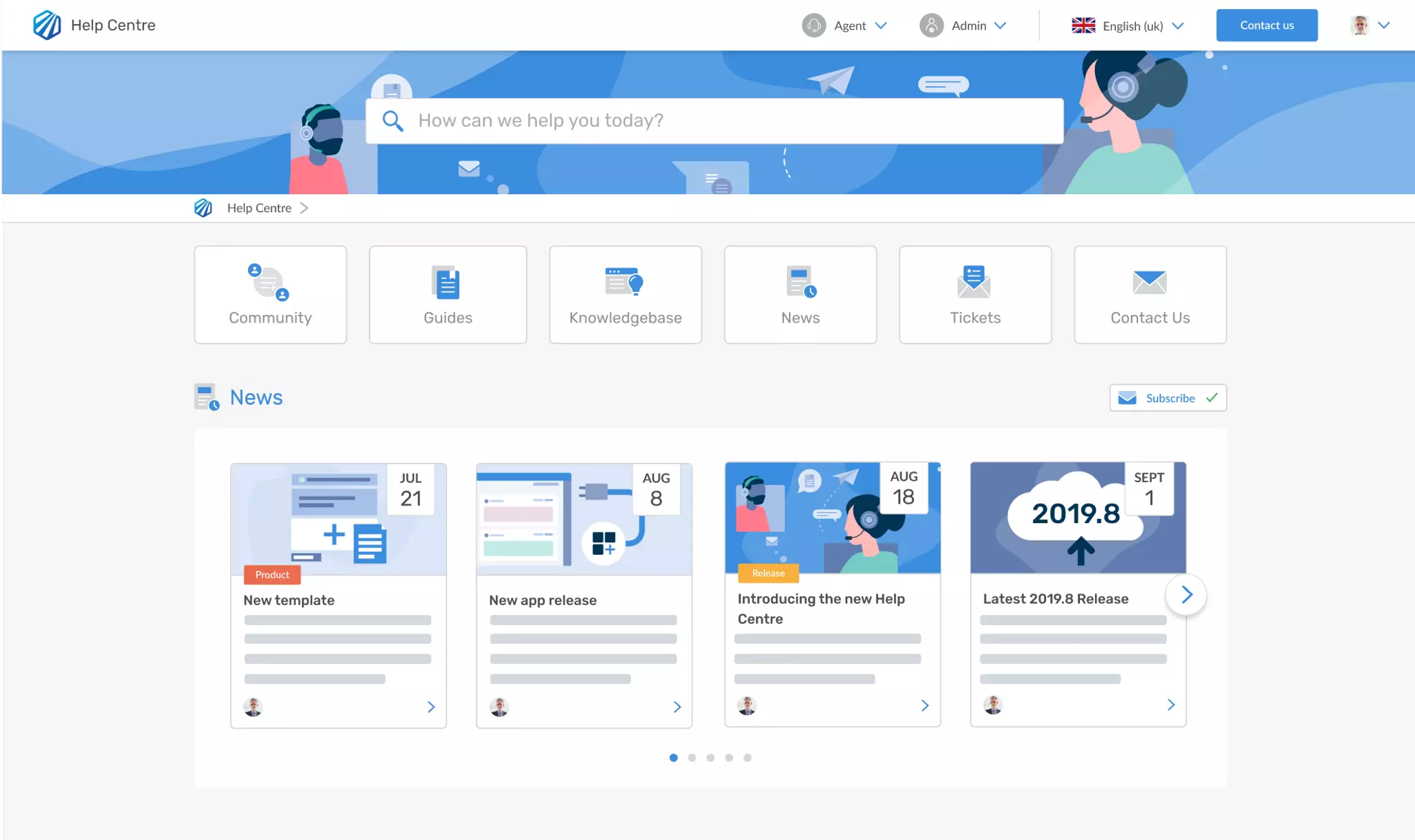
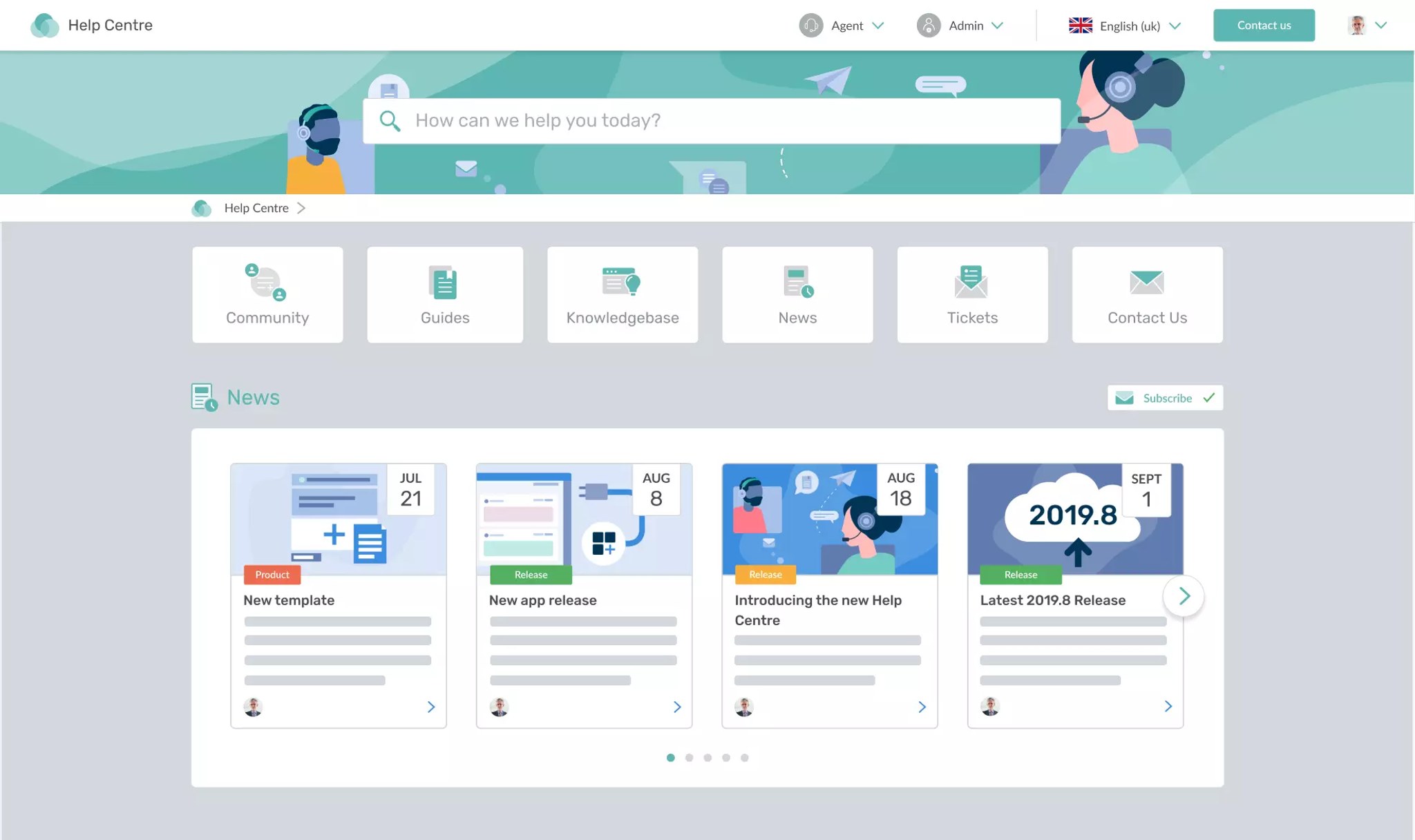
Support multiple brands from one interface. Control workflows, branding, and content across your brands.
Create unique branded content for products and services based on specific geographic regions.
Set up individual Help Centers for different departments with unique content and permissions.
content that shines
Choose Help Center Software where you can provide customers with more than just a plain word document.
quality content
Author content using a rich and easy-to-use publishing interface. Moderate content with the ability to draft, approve, publish, and archive articles.
community
Crowdsource improvements by allowing customers to see, comment and vote on topics most important to them. Provide a roadmap to track progress of responses to feedback and show you are listening to them.
Promote Collaboration
Improve engagement by allowing customers to provide you with feedback, enabling customers to collaborate, discuss and help each other to solve issues.
Comments
Customers can reply to content and other people as well as upvote comments deemed most valuable to discussions.
Moderation
Keep your community free of spam and offensive content by reviewing comments and topics before they are published.
CONTENT TRANSLATION
Speak the language of your customers and build stronger relationships across the world by publishing articles in different languages.Learn more about Localization
News
Keep customers constantly engaged and in-the-know by communicating the most recent news, blog posts and announcements.
Categories
Organize news posts into categories to communicate specific types of content and quickly distinguish them with colors.
Cover Images
Add images to news posts to provide context and a captivating preview.
Subscriptions
Subscriptions allow customers to be notified via email of any new articles, changes and updates to the knowledge base.
Individual articles, categories and the whole knowledge base can be subscribed to, along with News and Community content.
STICK TO A CONTENT STYLE
Avoid confusing customers and save time by building structure and consistency into content.
Templates
Ensure that your news posts use the same format. Agents can create templates for different purposes and save time by using them again and again.
Freshen Up Stale Content
Choose when you want content to be reviewed by your team, keeping it up-to-date and relevant.
files
Make files available to your customers and agents, whether it is a pdf, a brochure, a software application or driver.
Deskpro provides you with the ability to host files within knowledge base articles, guides and news. It also has a dedicated file storage area for your external or internal customer base.
CONTROL WHO SEES WHAT
Help center software can make content available for internal and external use on the same Help Center.
Usergroup Permissions
Specify permissions to limit what content customers can view. Set permissions for internal knowledge management, such as employee training, on the same support site as customer FAQs.
Create an article once, that solves an issue for hundreds of customers in the future.
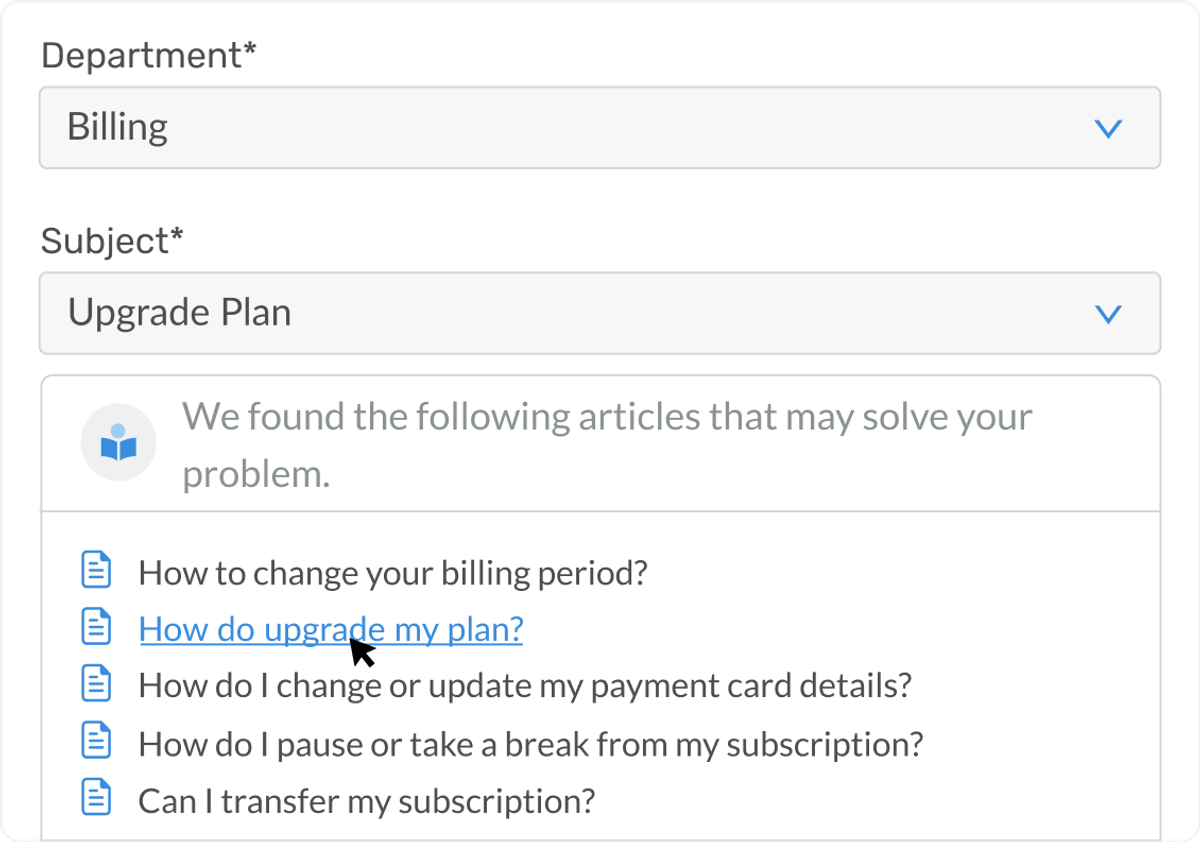
Reduce pressure on agents by automatically suggesting relevant articles to customers before they submit a ticket.
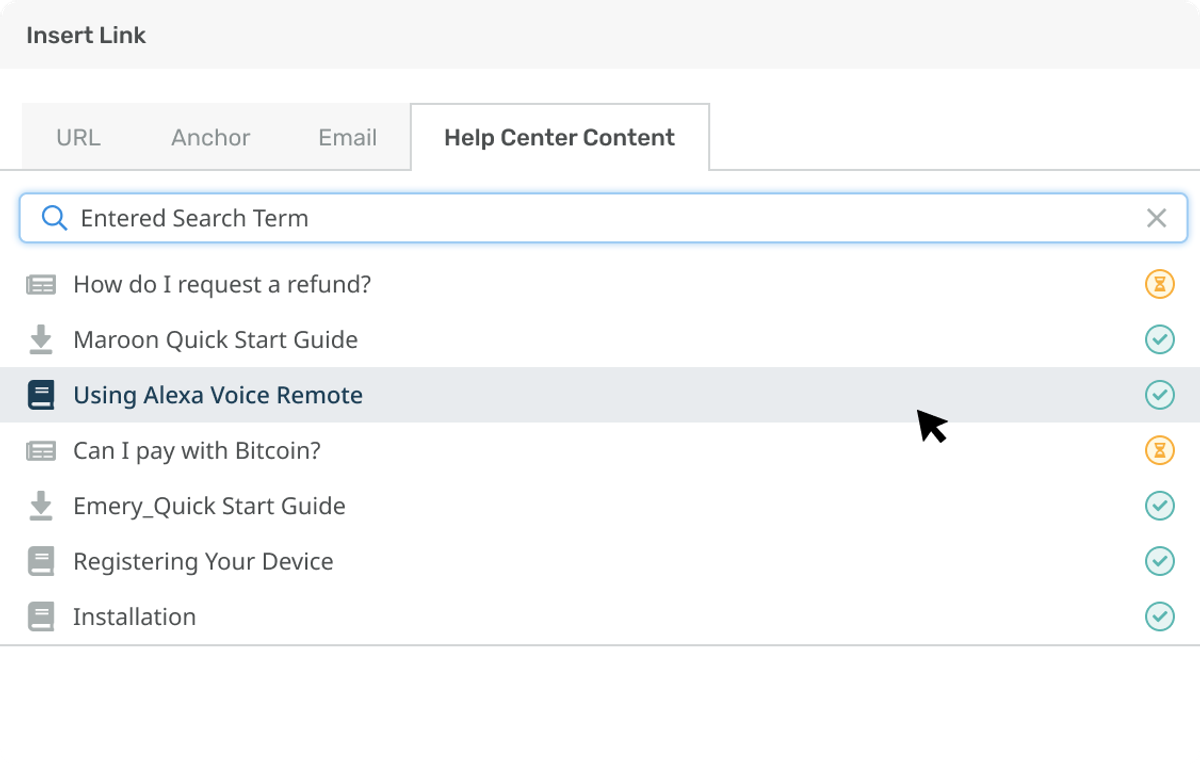
Access Knowledge Base articles when replying to tickets and help customers by linking them to relevant articles.
Keep your knowledge base up-to-date and your customers in the loop whilst reducing tickets for your agents.
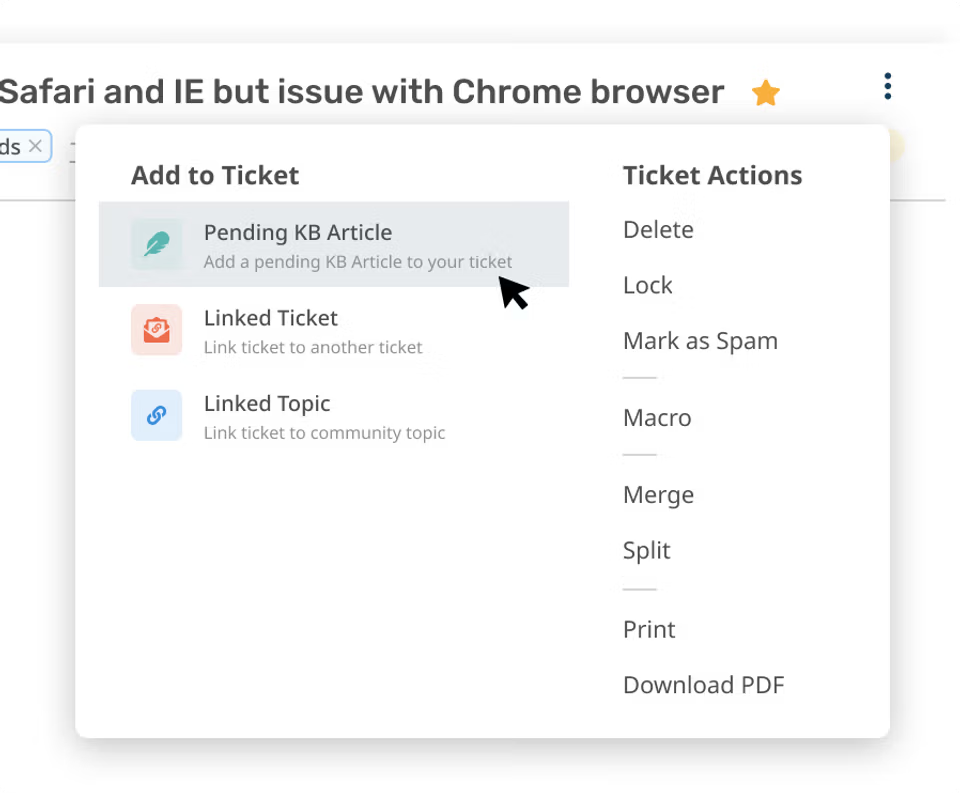

Turn tickets into pending articles, instantly populating the article with content from that ticket.
Turn tickets into discussion topics in order to collect feedback and decide next steps for prioritization.