
New Guide The Help Desk AI Maturity Journey: A Support Team’s Guide Download Now

APPROVALS

Approval workflow solution for efficient request management

Deskpro's approval workflow solution enables organizations to reduce administrative bottlenecks and streamline approval processes.

With transparent and trackable requests, agents can easily submit and manage requests, ensuring faster ticket resolution and improved customer satisfaction.

Optimize workflows

Streamline approvals with transparent ownership and smooth processes.

Efficient ticket resolution

Guarantee the right people can see what they need to approve and by when.

Keep customers happy

Faster approval processes mean faster ticket resolution for staff and customers.

Streamline your organization's workflow with approvals

Create approval requests for customers to save agents and management teams valuable time with clear, separate requests containing the exact information needed to approve or reject.

1

Make a request

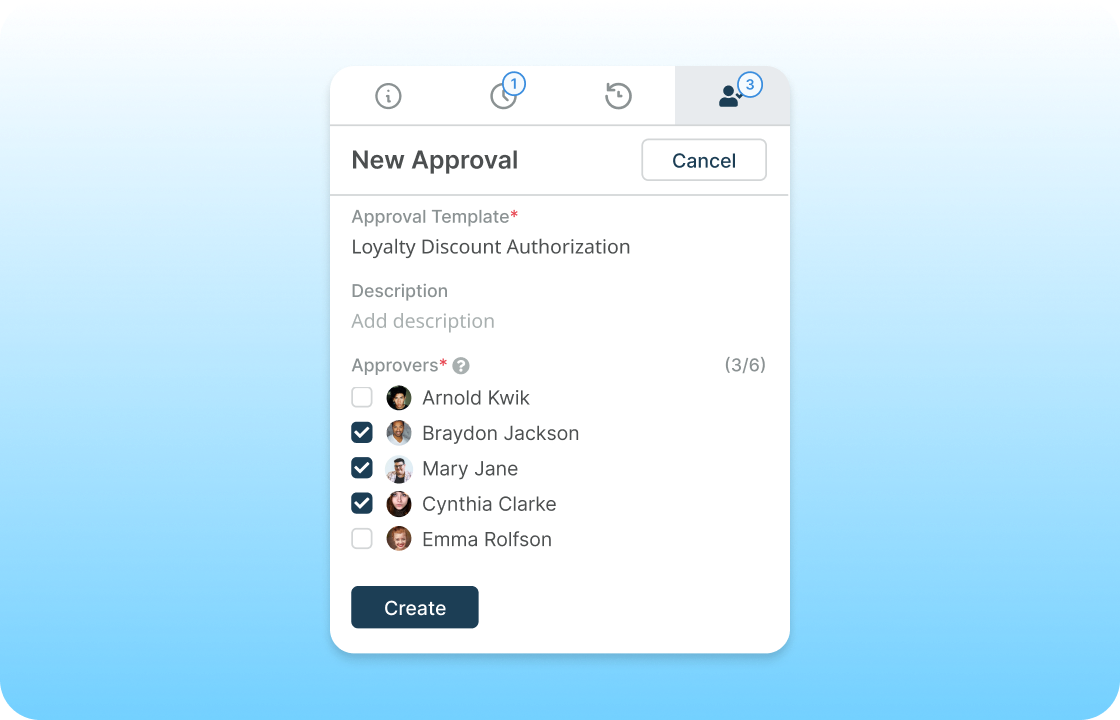
Agents can 'Make a request' in the approvals tab within the help desk.

They select a request template, from a dropdown menu of common approvals or create a custom approval, they can also select the specific approver required for the request and add any additional information.
Approvals - Flow 1
2

Submit the request

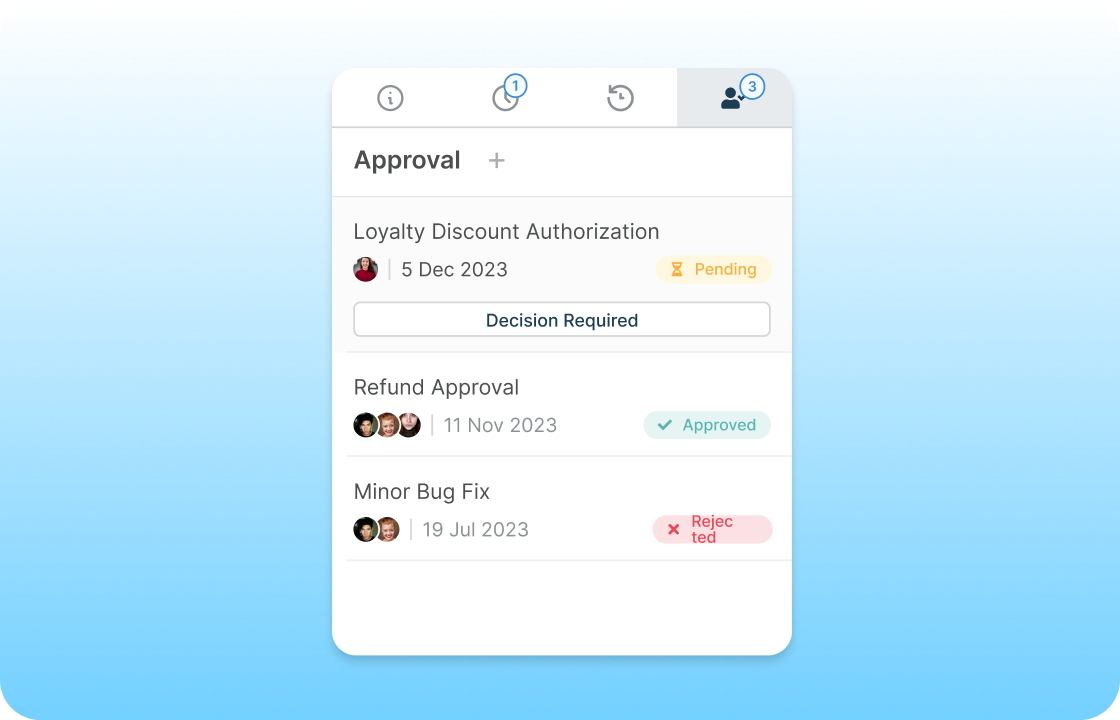
Once an agent submits a request the approver will be notified that their approval is needed and the time frame which they need to respond within.
Approvals - Flow 2
3

Approver actions

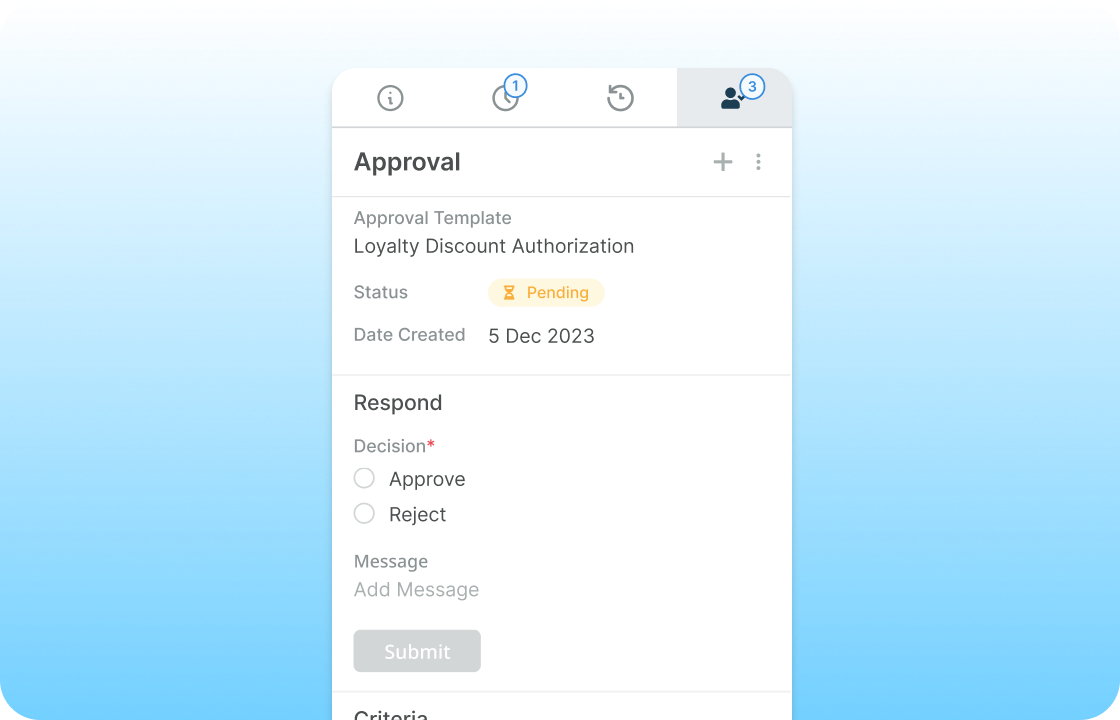
An approver can accept or reject an approval from directly on the ticket and they can leave a message to justify their response.

Or they can action the approval from the Help Center by following a vote link from their email notification.
Approvals - Flow 3
4

Approval conclusion

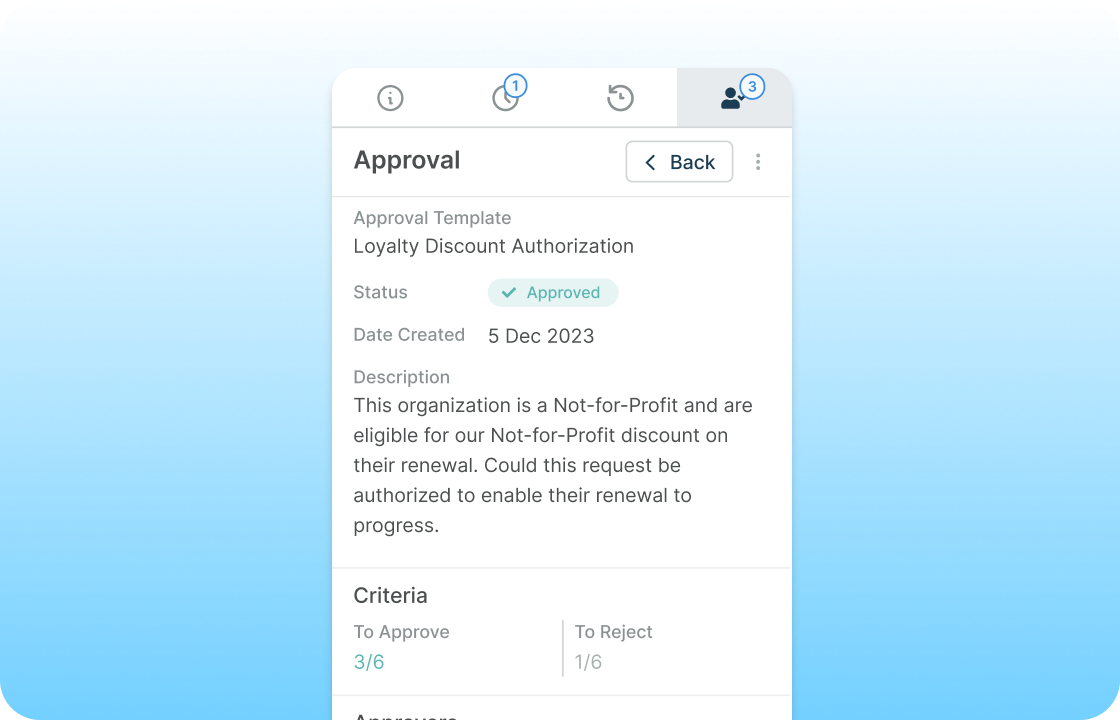
Once the approver has accepted or rejected the request the agent who submitted it will be notified and can react accordingly.
Approvals - Flow 4

approval status

Keep on top of all your requests

Track the status of approvals on tickets, view if a request has been approved or rejected, the deadline for a response, and any comments an approver makes to justify their approval or rejection.

automate approvals

Simplify approvals with in-built automations

Create macros to submit a request as part of the pre-defined automated actions.

If your needs approval for every refund that passes through your help desk save agents' time by triggering an approval to be created through your refund macro and ensure that your processes run smoothly and efficiently.

Frequently Asked Questions

Can Deskpro's approval workflow solution be customized to match our organization's specific approval processes?

Yes, Deskpro's approval workflow solution is highly customizable. 

You can create custom approval templates, define specific approvers, and tailor the workflow to align with your organization's approval processes.

Can we set up automated reminders for pending approvals?

Absolutely. Deskpro's approval workflow solution allows you to configure automated reminders for pending approvals. 

This ensures that approvers are notified and prompted to take action within the defined time frame.

Can approvers provide comments or justifications for their approval or rejection decisions?

Yes, approvers can leave comments or justifications when accepting or rejecting an approval request. This helps maintain transparency and provides valuable insights into the decision-making process.